


Invisible feature updates is not a new problem.
In the mid-2000s, Microsoft Office's menus and toolbars grew with every release. Jensen Harris, who led the Office redesign from 2003, wrote on his blog in 2005 that people weren't finding the very features they asked us to add.
At one point readers pushed him for a Word feature request. To his surprise, that feature was shipped by his team weeks before. As he dig in deeper, he realised that was the norm not an exception. His team would work hard & release features customers asked for - and then, customers wouldn’t know that the feature is now in the product. And that led to the redesign that shipped as the Ribbon in Office 2007. That Ribbon is a form of in-app changelog.
Your products still have the same problem. Your teams ship the feature, write a good product update. And a few weeks later, someone asks for the same thing.
So what could be wrong - maybe the placement of your changelogs?
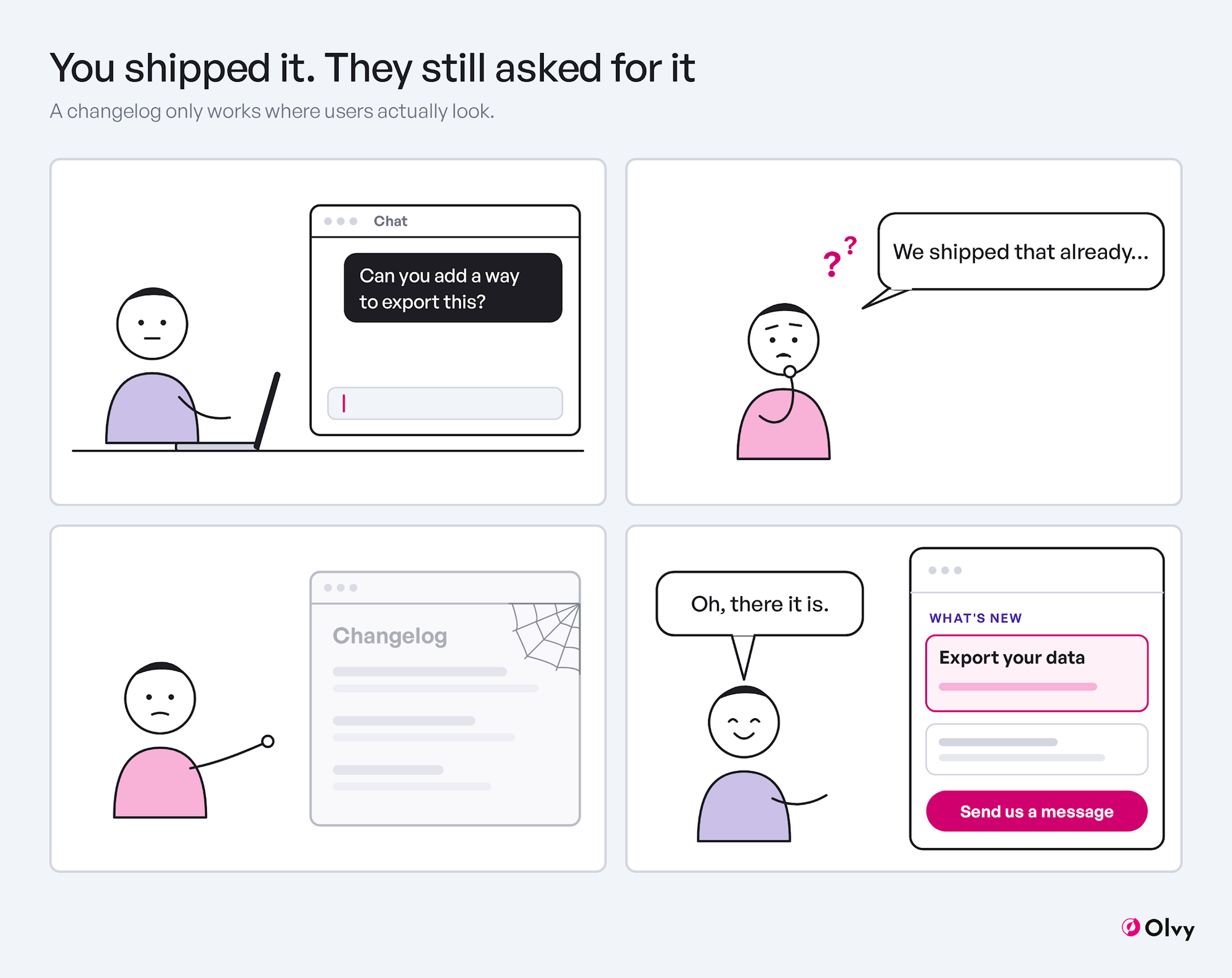
Why in-app changelogs still get missed
A changelog page waits for visitors who show up only when they feel like it, which is rare. As this guide to getting updates read points out, people stay away from updates stored in places that are hard to find.
Email does land in people’s inboxes but they are outside the product, thinking about something else. Bad timing.
Announcement popups in your product launch mid-task, in your face. This makes your product users slower to achieve their goal and more annoyed. The moment you overdo these pop-ups & users learn to close them by habit, without reading. So it's sensible to save popups for the few releases that change how people work in your product.
No wonder so many Product Managers feel nobody reads their changelog.
The messenger is the most overlooked home for your changelog
The in-app messenger is that one surface which users open on purpose. They reach out when they are stuck or about to ask your team something.
Putting the changelog on the messenger’s home screen makes it into an organic path to your team. Because users run into it on their way to a conversation. The messenger is where they already go with a question: which makes it as good a position as the changelog page or that pop-up, if not better.
What changes when the changelog is on the messenger home screen
Users don’t have to ask, they get to know what your team shipped organically. Some ‘can you do X?’ questions are answered themselves even when they appear in the users’ minds.
No extra efforts needed from your team. The messenger shows the same product updates as your changelog page, so there's nothing new to write or maintain. For the entries themselves, see how to write product updates.
One click and a conversation with your team starts. If a specific product update raises a question, users can start a chat from the same widget.
Popups can stay rare & earn their place. As everyday releases find their home in the messenger, the rare popups indicate valuable updates.
Keep email and pop-ups but add in-app changelog
The idea here is not to get rid of the other changelog surfaces. A changelog email is still the right channel for notifying about breaking or billing changes. They can reach inactive users while in-app changelog can’t. And we think emails are also incredibly useful for periodic roundups etc. Announcement pop-ups should earn their place. They should not be omnipresent, breaking user’s workflows while they are in the middle of a task in your product.
In-app changelogs achieve different things than the above two.
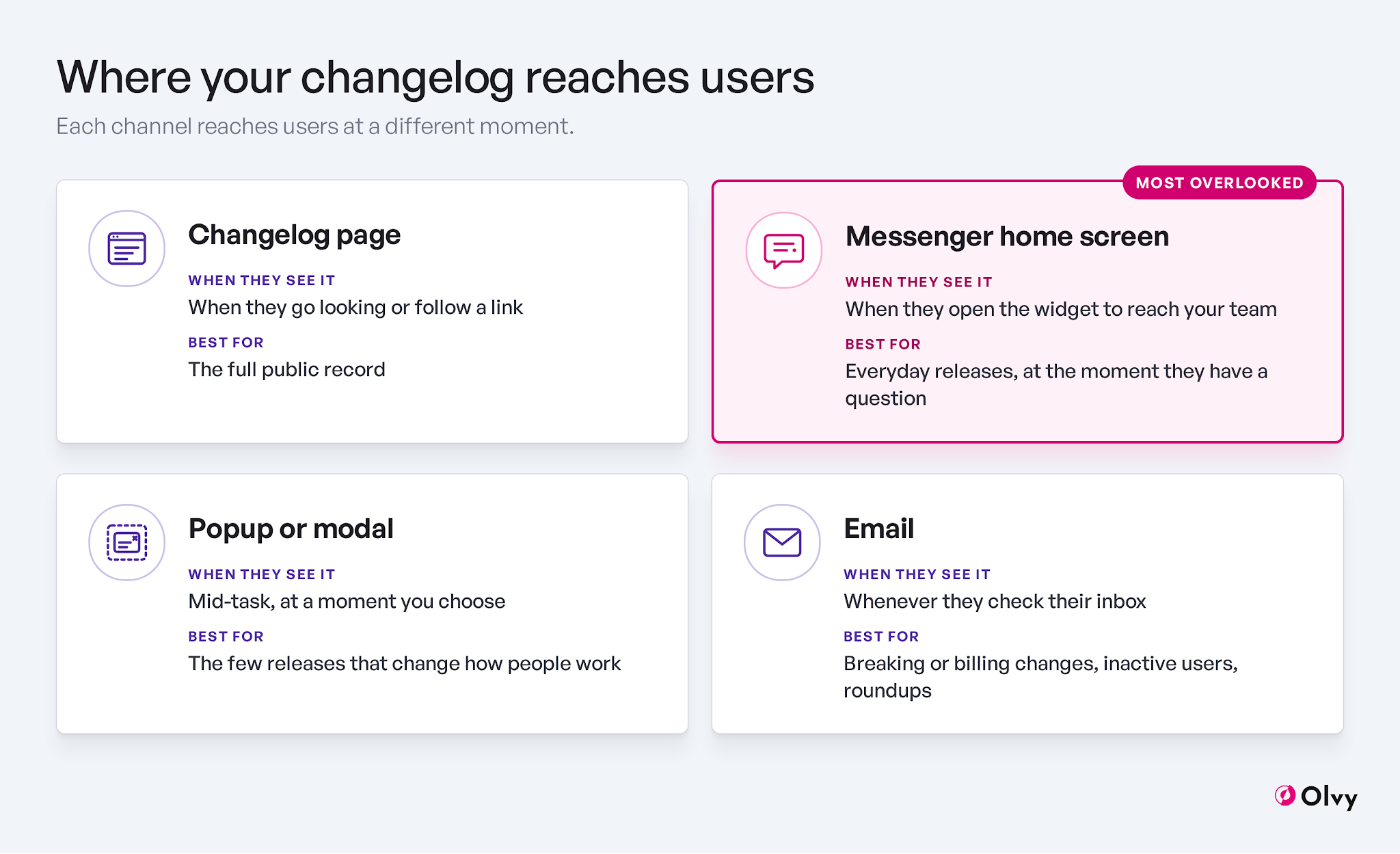
Where your changelog reaches users
Put your changelog right in front of your users
In conclusion - feature announcement popups should be rare, emails still carry weight, and in-app changelog through the messenger screen offer home to product updates. In Olvy, the public changelog can show on the Messenger home screen (your choice), with the same content as your changelog page, and users can start a chat from the same widget. There's a free plan if you'd like to try it.
FAQs
What is an in-app changelog?
A changelog shown inside your product. Such as in the chat messenger or a widget or a menu item. This one is different from a standalone page or a product update email, because it also serves a different purpose.
Where should the changelog live in a SaaS product?
On a public product changelog page as the record, and inside the product where users already go. The messenger is the most overlooked option. Some products also rely on ‘What’s new’ menu.
Is in-app or email better for announcing new features?
Neither is better than the other. Each serves a different purpose & audience. In-app changelog reaches users already in the product; whereas email reaches them when they're not.
