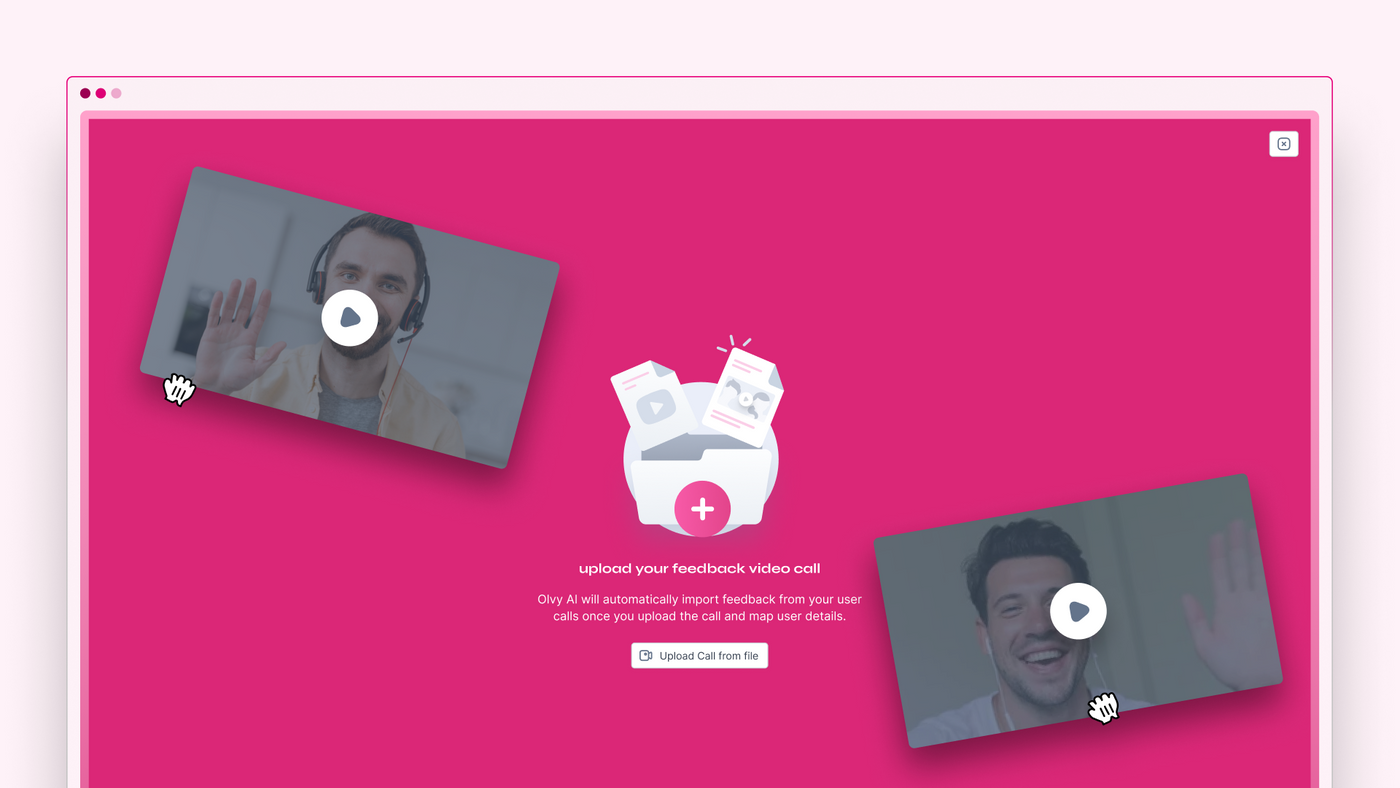
Hour-long user calls can be exhausting, and gathering feedback from them can be equally challenging. That’s where Olvy comes in!
Olvy’s Video Feedback to Feedback lets you upload all your user calls directly to Olvy, making feedback extraction effortless.
After uploading a call, Olvy AI generates a video transcript. You can then either manually extract feedback from the transcript or let Olvy AI do it automatically in just a few seconds.
Here's how to get started:
Upload User Video Call to Sources
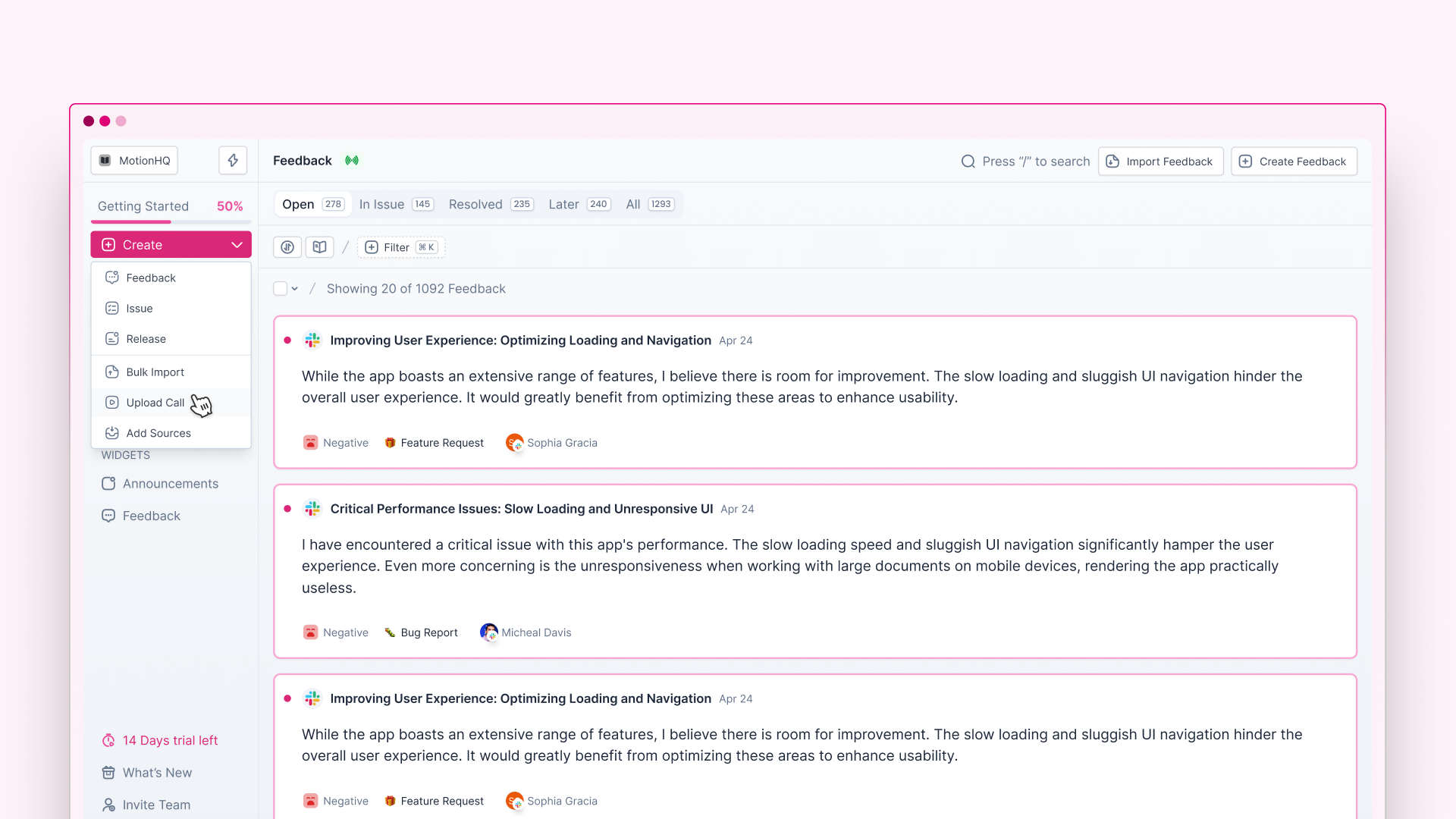
To add your video calls to Olvy, start by clicking on “Upload Video Call” and drop all your video calls!
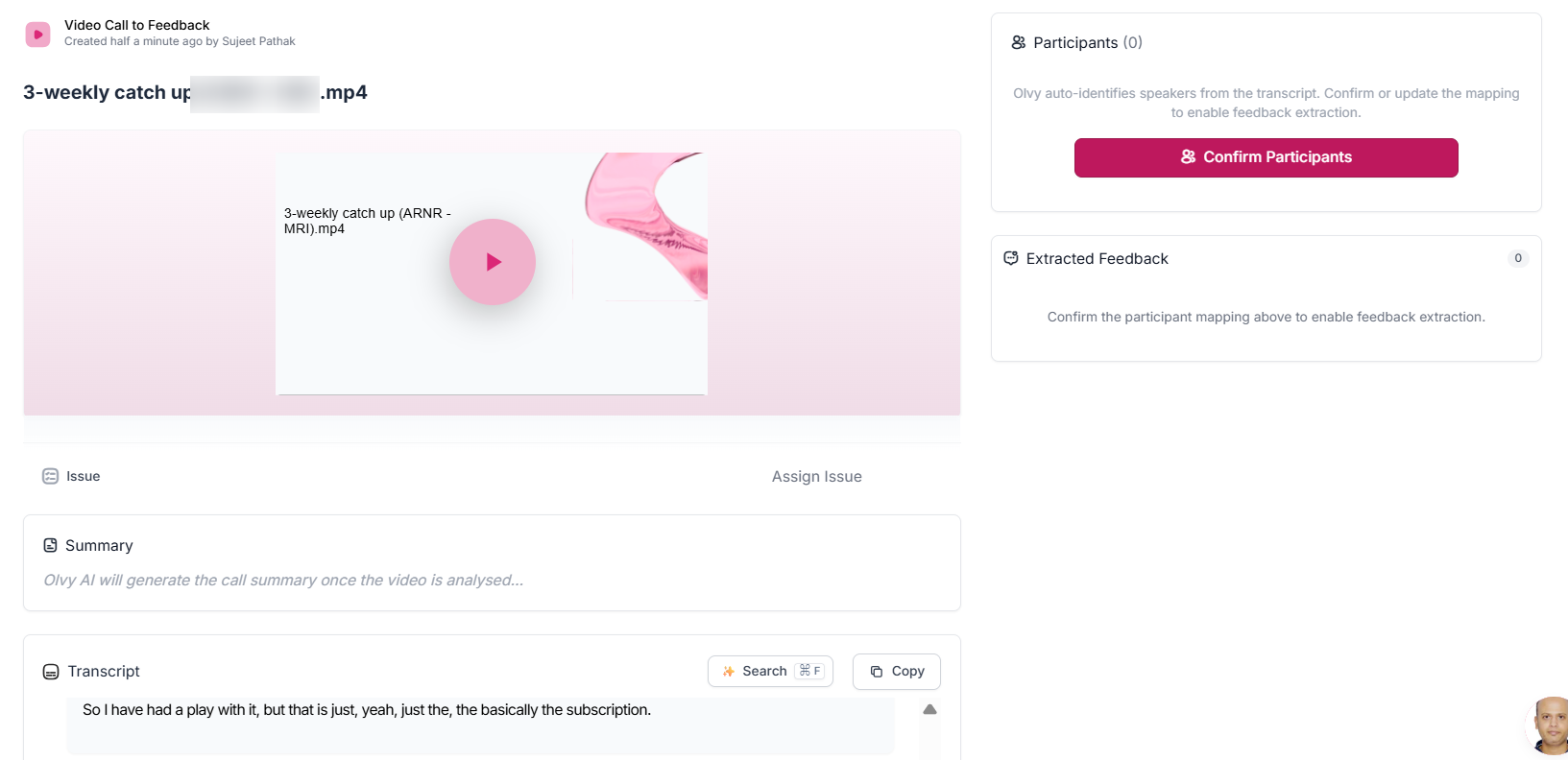
After you upload your video, it gets added to Feedback – > Sources
Olvy AI will transcribe them and provide real-time updates so you can easily track the progress.

Confirm Participants
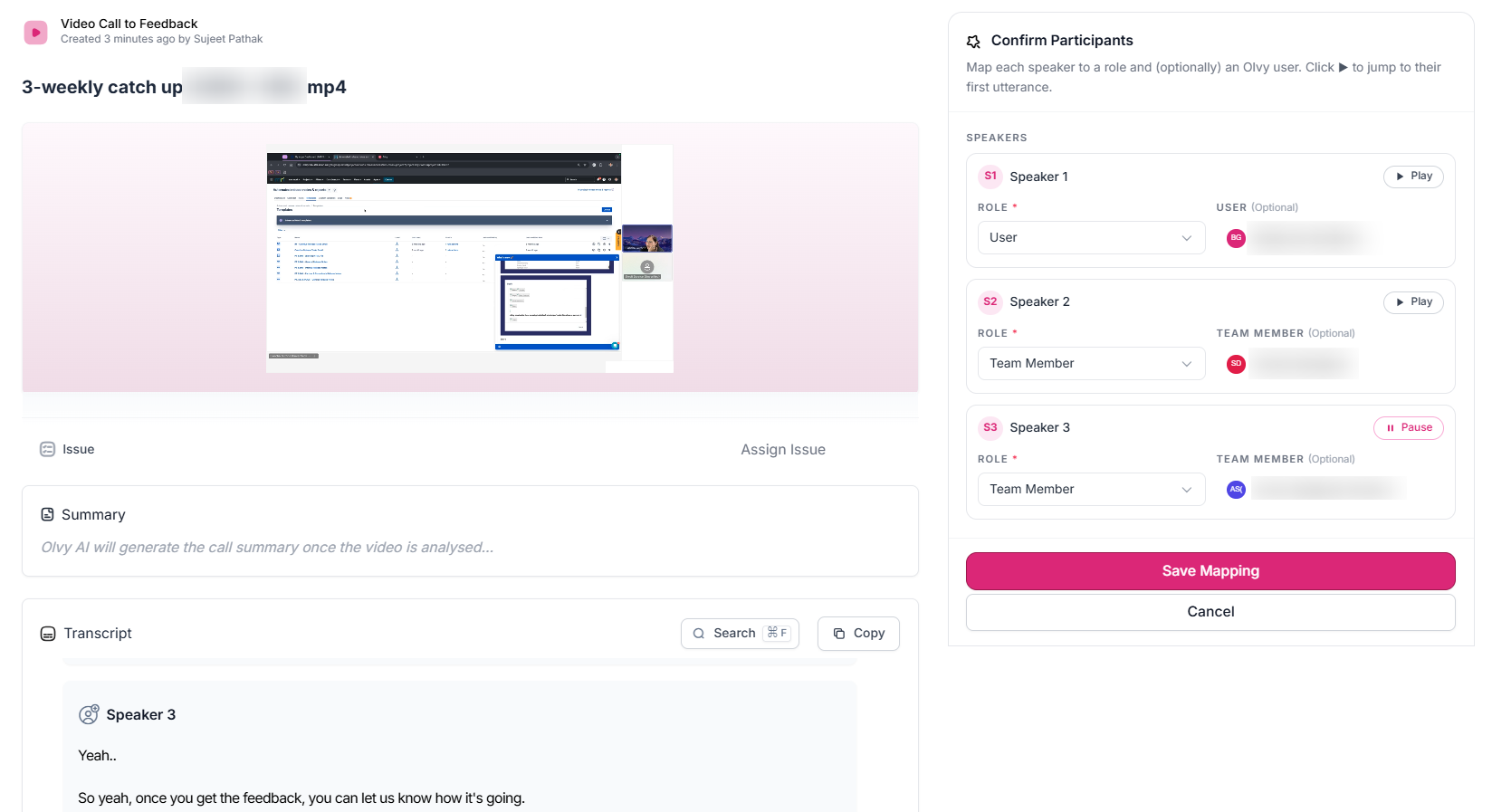
After the transcript is generated, you can go ahead and map the speakers in the video with your users and team members
For each speaker you select their role and user
- Role: User (Customer) or Team member
- Select user: Select a user from existing User base in Olvy or create a new user
Extract Feedback
Once you map the participants with their role you kick-in 'Extract Feedback' and let the Olvy AI detect feedback from the video call.
Olvy AI will read your transcript and detect feedback automatically within a few seconds.
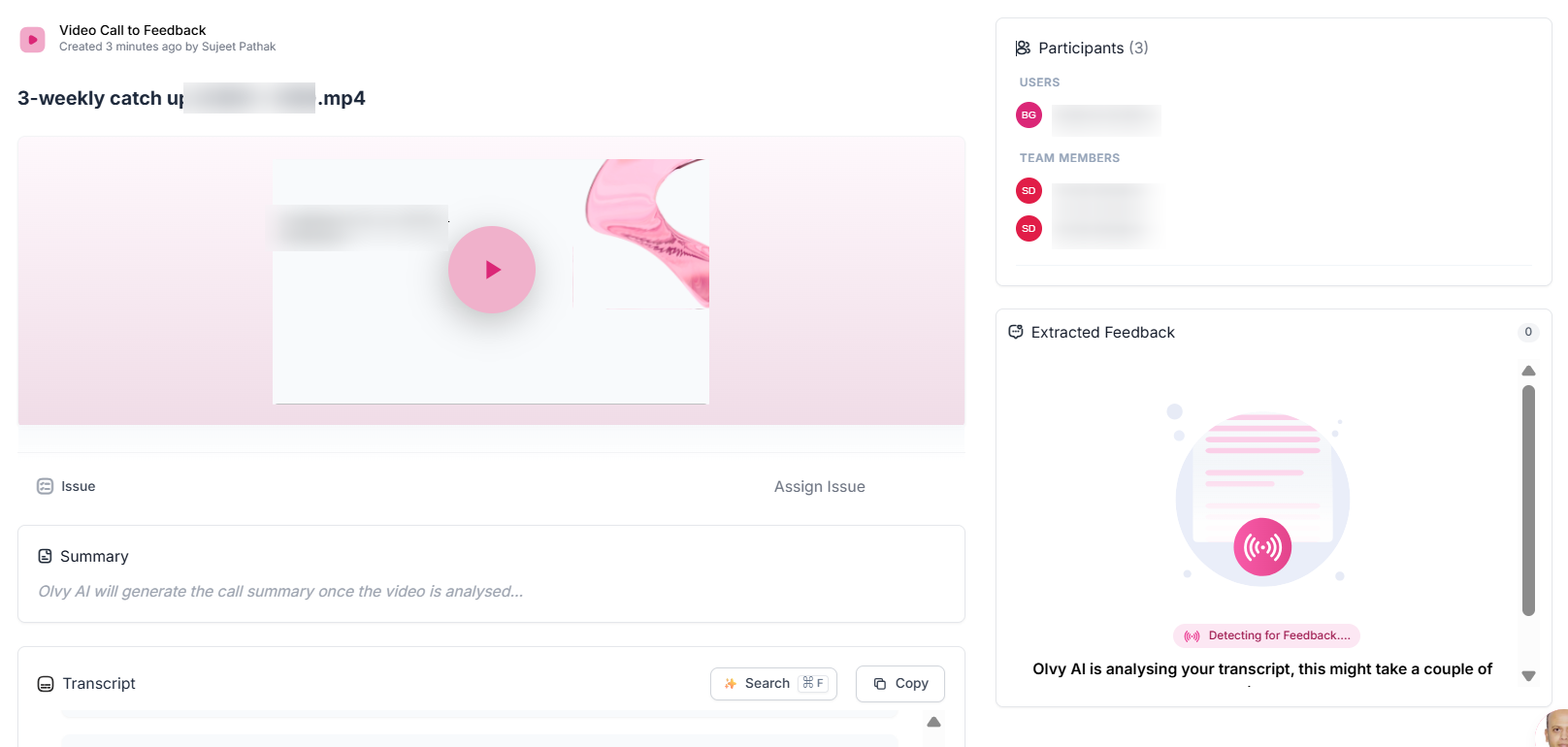
Olvy AI will share detected feedback and provide them on the right-side panel and also in the transcript.
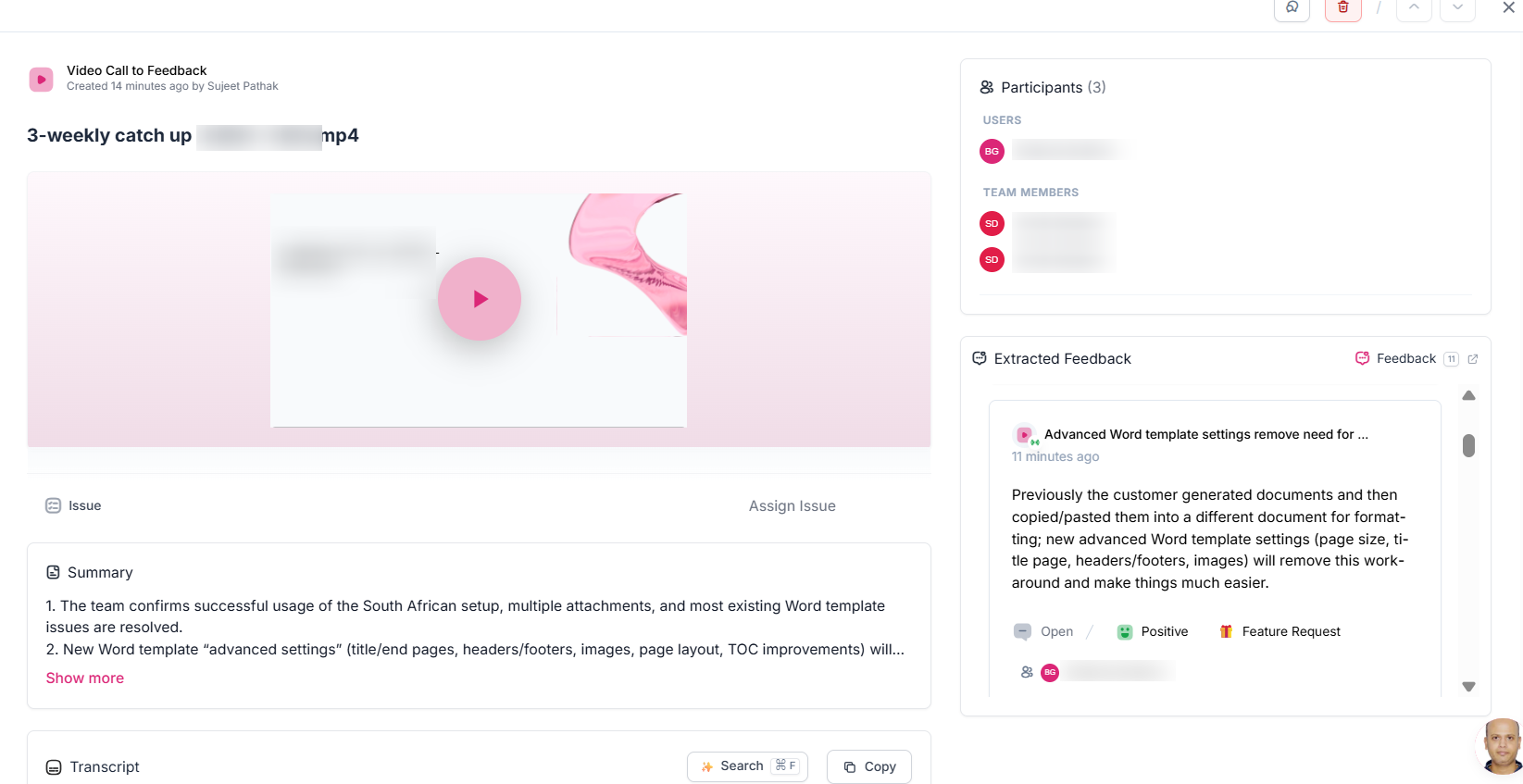
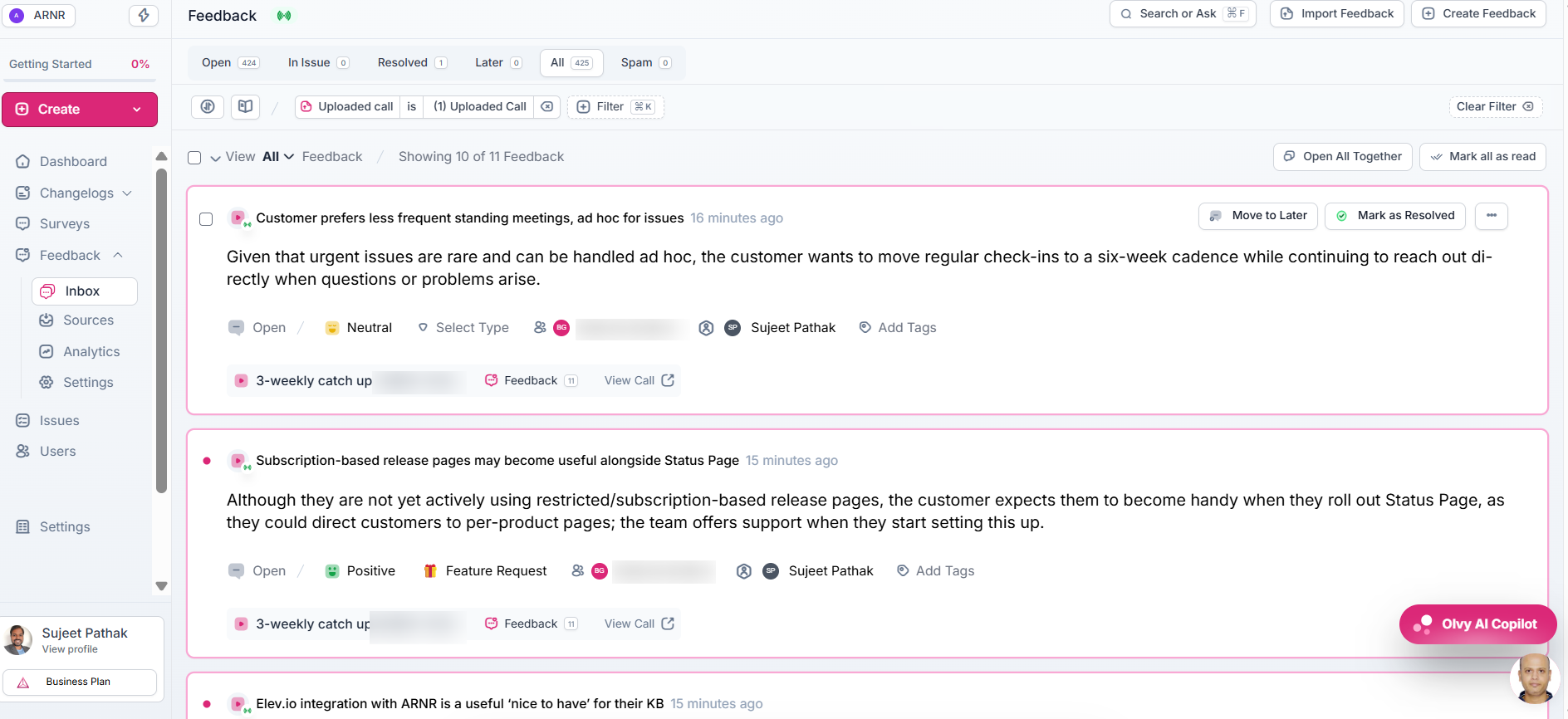
View Extracted Feedback in Inbox
- Extracted feedback from the video gets logged into Feedback --> Inbox
- You can click on 'Feedback' count from video details page and see the list of extracted feedback from that video separately within Inbox
- For each of the extracted feedback, Olvy AI also detects type of feedback, speakers involved in that feedback, tags etc.
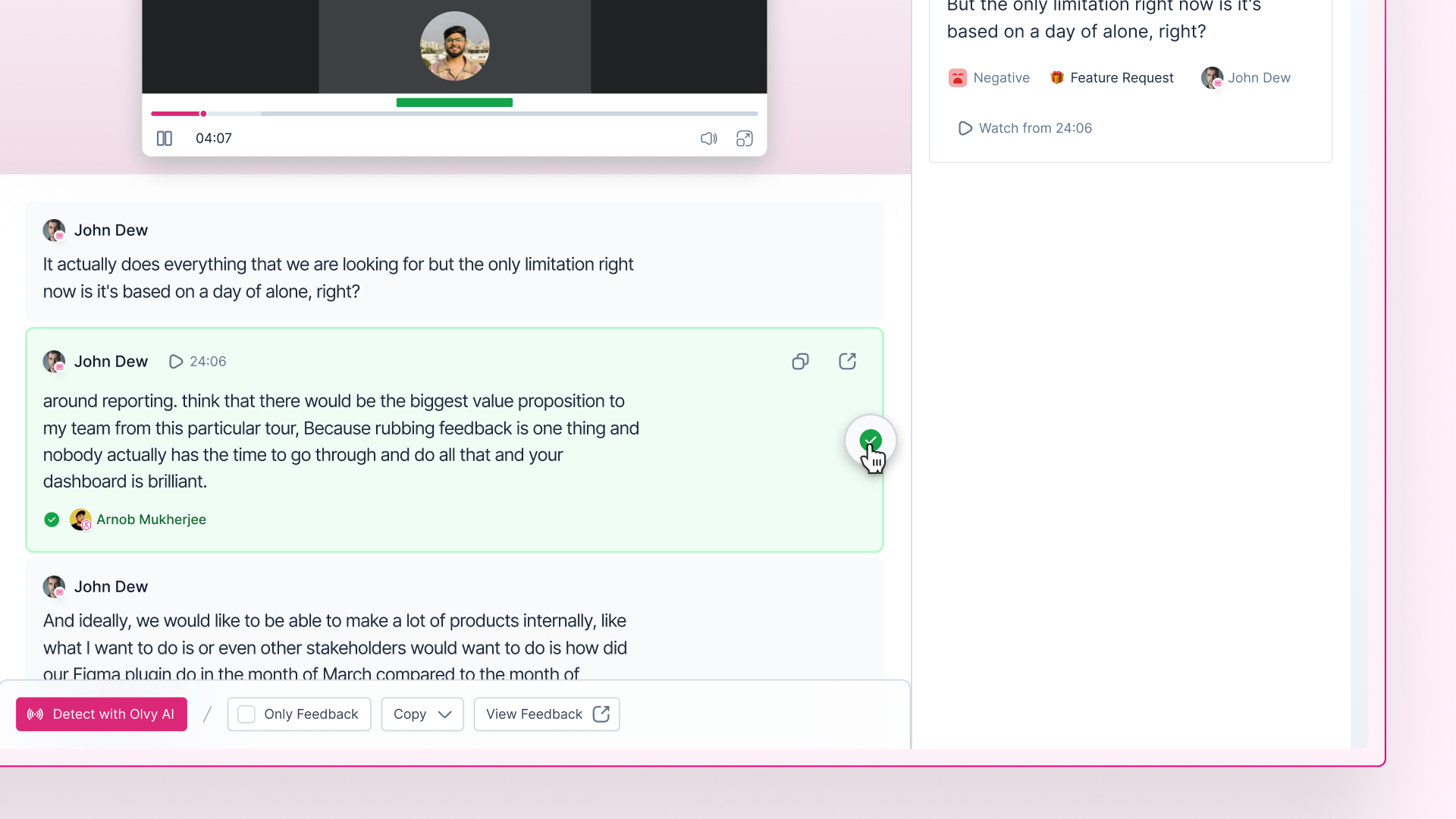
Manual Detection (Optional)
Similarly to Auto Feedback Extraction with Olvy AI, you can manually mark a speech from transcript as feedback.
Click on Add Icon to mark something as feedback and collect it on the right-side panel.
That's how you can simply go from uploading long calls to analysing them within minutes, with Olvy's Video Feedback Uploader.